


Integrate Dynamics 365 with SharePoint - permissions and documents in sync automatically
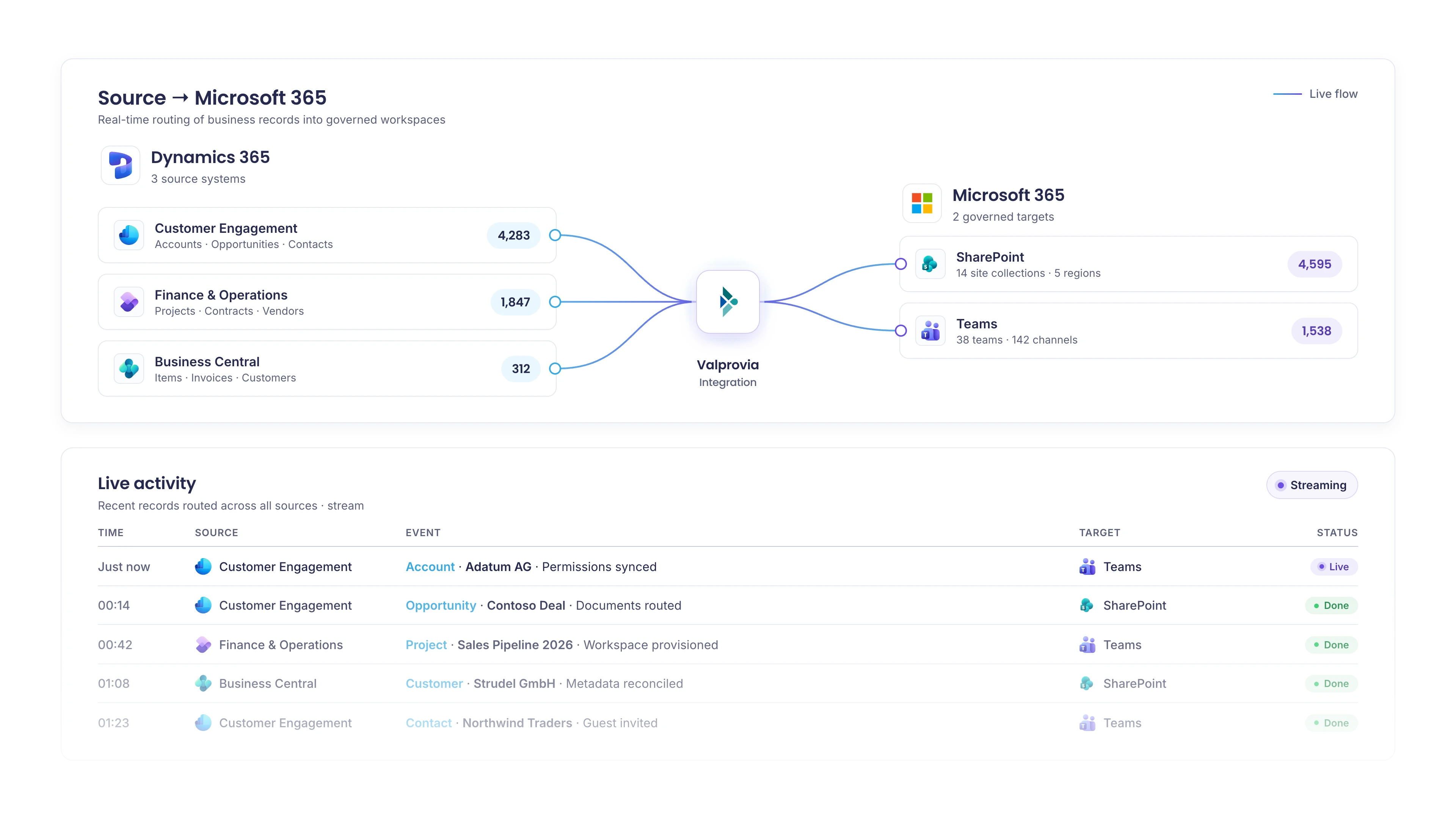
Valprovia Integration synchronizes permissions, metadata and folder structures between Dynamics 365 and SharePoint or Microsoft Teams - automatically, bi-directionally, and without manual maintenance.
Trusted by


The status quo
Dynamics documents fail in SharePoint
Valprovia Integration is a productised bridge between Dynamics 365 and Microsoft 365. The alternative is usually a Power Automate DIY solution that has to be maintained by hand. Microsoft's standard connector ships a folder view inside Dynamics 365 - and stops there. Permissions don't follow records between teams. Metadata lives in two places and drifts in both. Lifecycle is a manual rebuild for every new opportunity. Sales teams email files instead of using the workspace. Compliance teams chase missing audit trails. IT carries the cost.
One integration, four jobs done
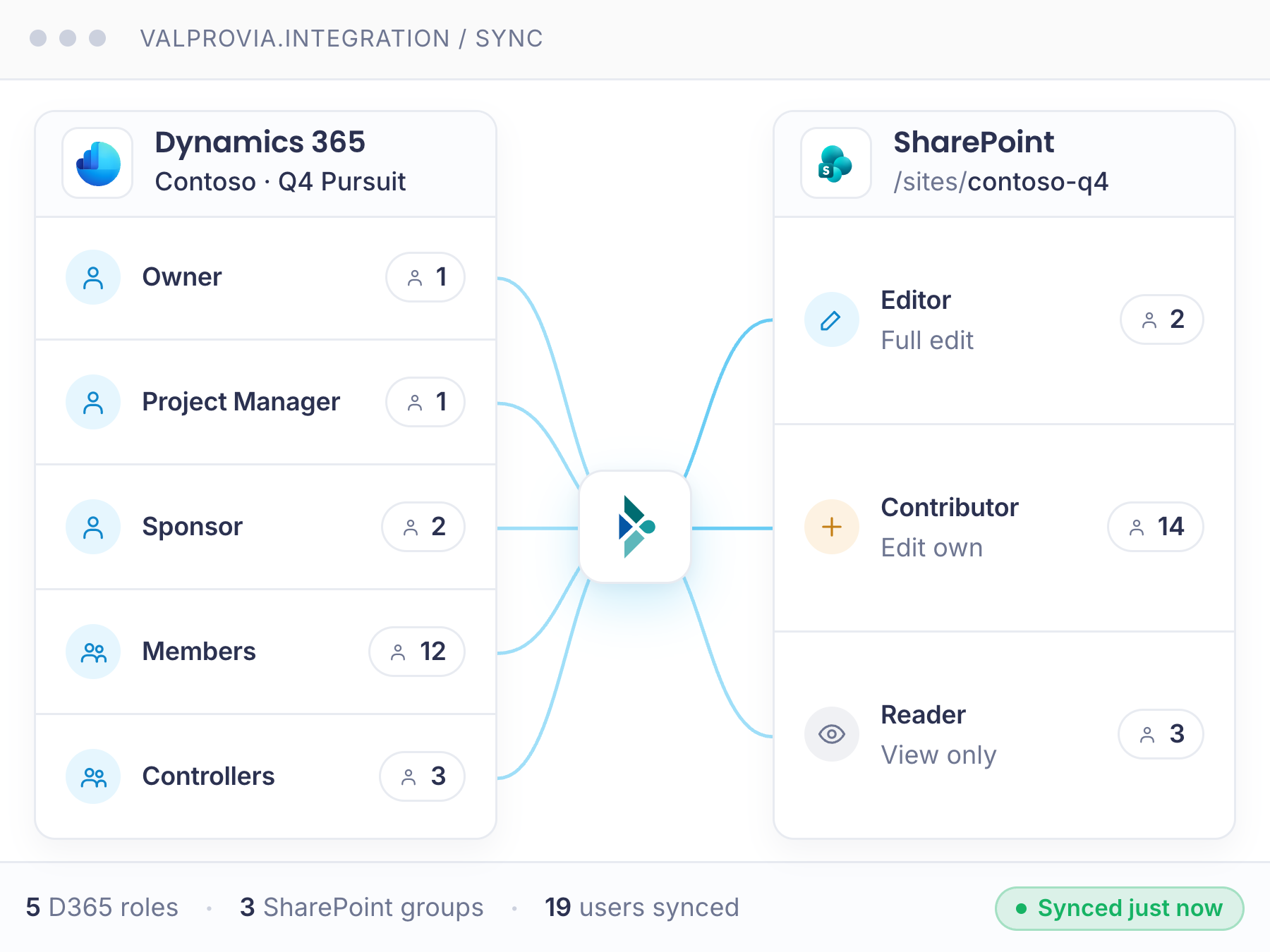
Dynamics 365 permissions, mirrored into SharePoint
Access Teams, Owner Teams and Business Units from a Dynamics 365 record are replicated to the matching SharePoint permission groups automatically. No more manual access requests, no orphaned permissions when a record moves between teams, no audit gaps.
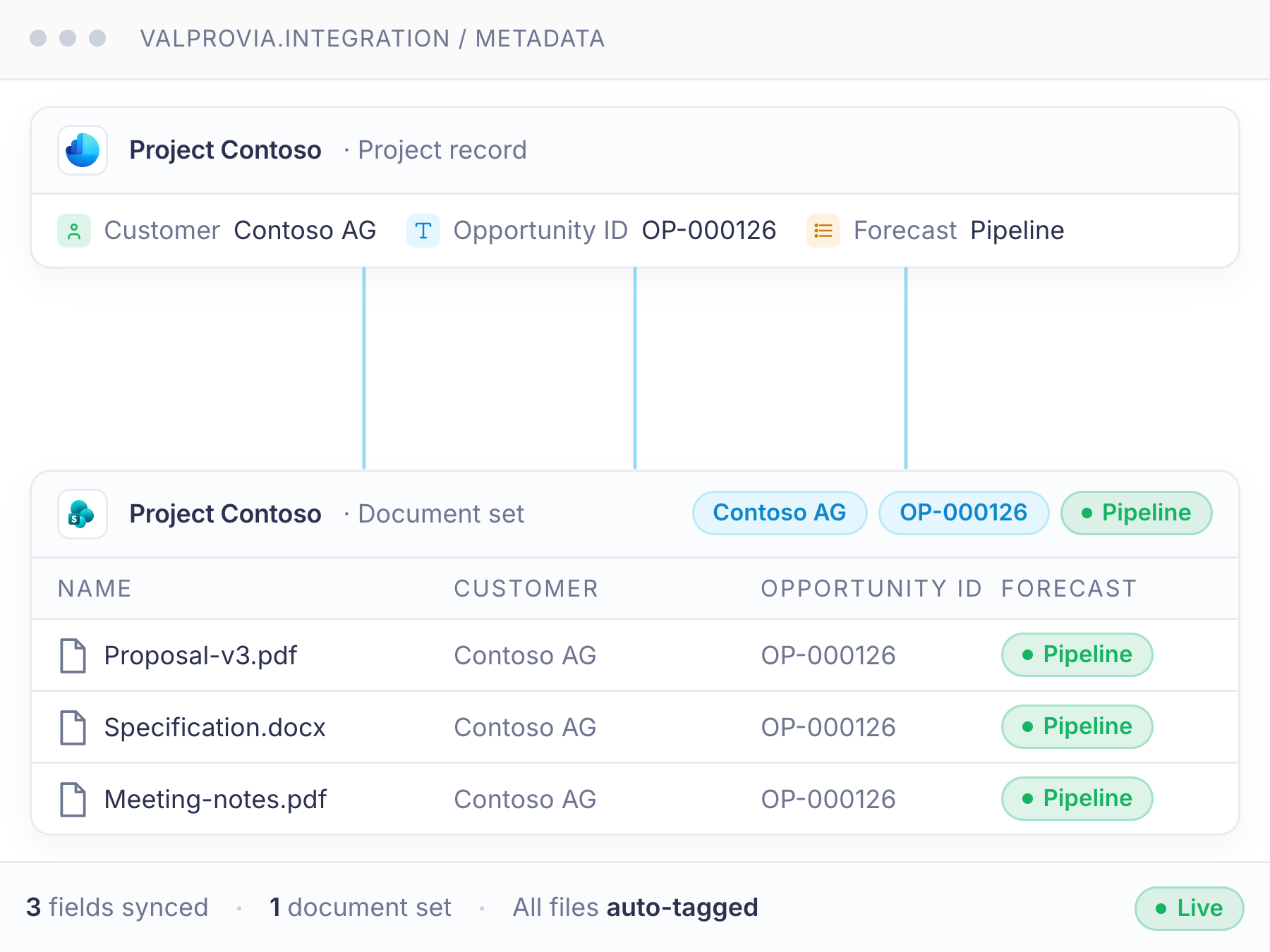
Dynamics fields and SharePoint columns, always in step
Competence Center, Business Unit, Project Name, Opportunity and Proposal flow bi-directionally between Dynamics 365 fields and SharePoint columns. Find documents by metadata in either system - the values stay aligned.
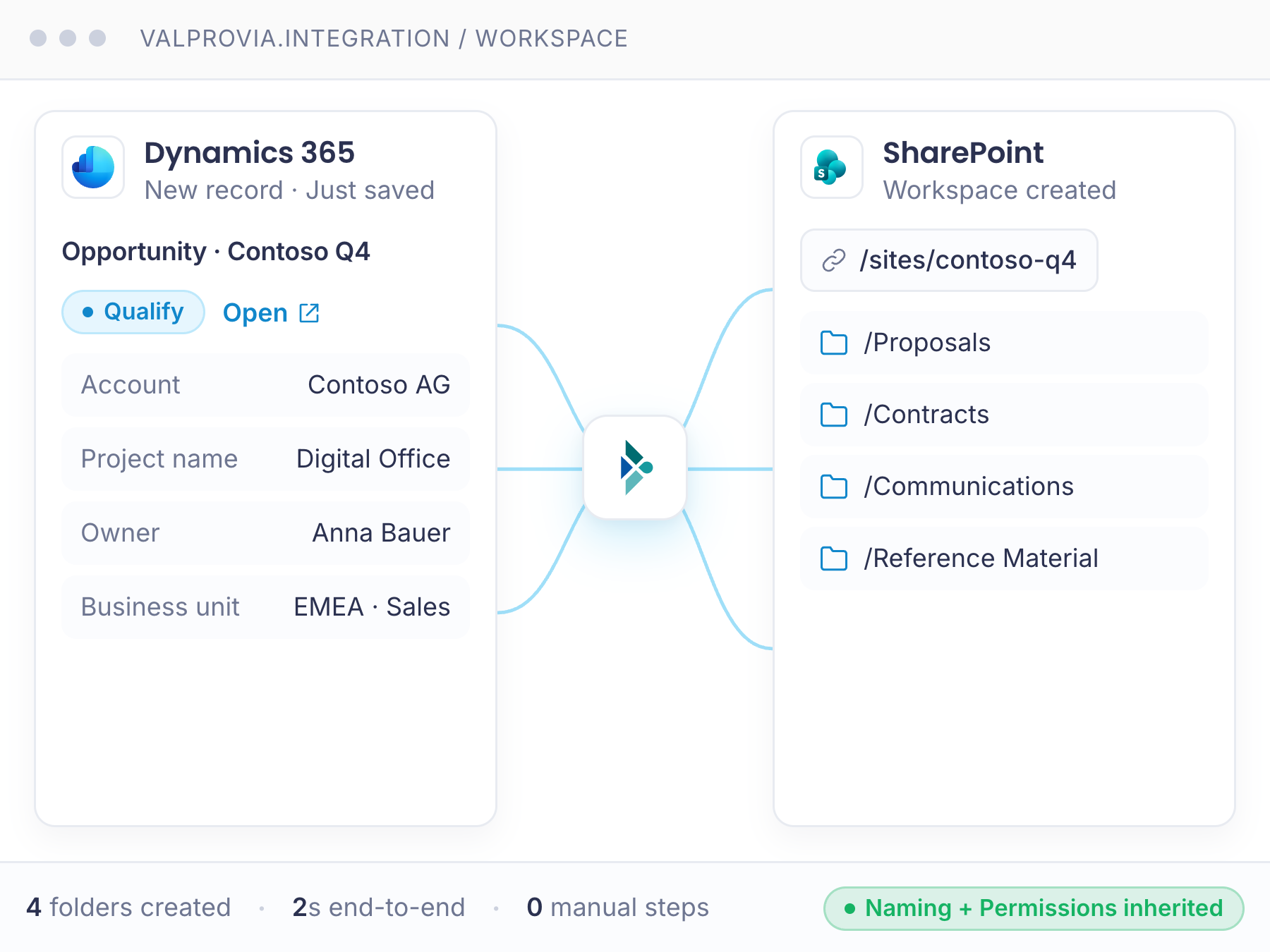
An Opportunity or Proposal in Dynamics - a workspace in SharePoint
Every Dynamics 365 Opportunity or Proposal gets its own SharePoint workspace at the right time, with naming, URL and structure that follow your guidelines. Open it from the Dynamics record - or work directly in SharePoint.
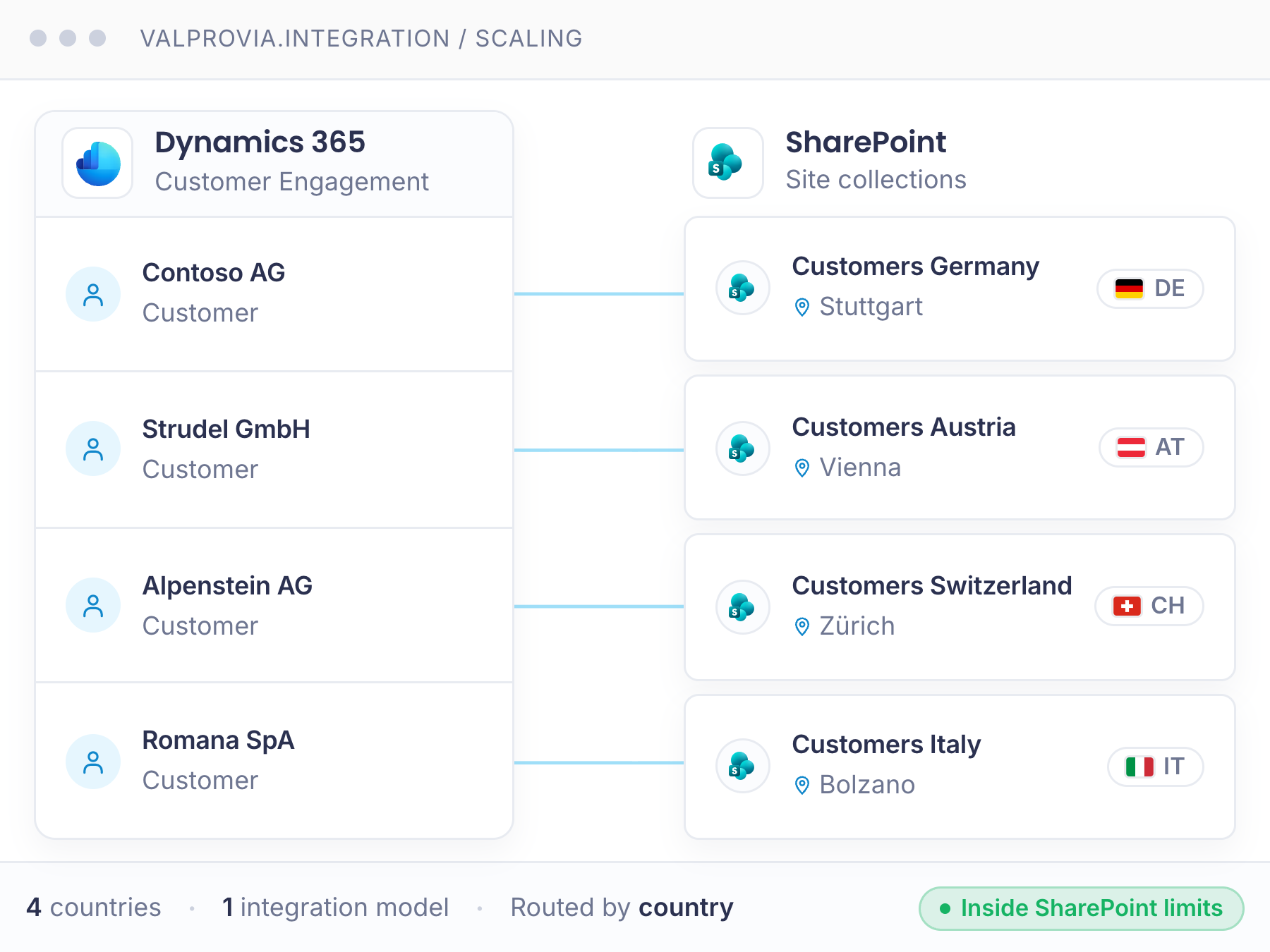
One model, every country and location
Roll the same integration out across regions - country-specific naming, language and compliance settings, all centrally managed. Auto-scales inside SharePoint limits as new locations come online, with no per-country rework.
Microsoft standard connector vs. Valprovia Integration
Microsoft's out-of-the-box connector covers basic folder display. Valprovia covers everything that matters when documents need to be governed, found and audited.
| Capability | Valprovia | Competitors |
|---|---|---|
| Permission replication from Dynamics 365 to SharePoint | ||
| Bi-directional metadata synchronization | ||
| Clean naming and URL conventions aligned with company guidelines | ||
| Continuous synchronization of updates | ||
| Provisioning of retention and sensitivity labels | ||
| Automatic document tagging | ||
| Support for document sets and site collections | ||
| Support for Microsoft Teams groups |
One source of truth across Dynamics and Microsoft 365 - permissions, metadata and lifecycle, managed in one place. No manual sync, no orphaned files, no compliance gaps.
Supports every Dynamics 365 flavor
Valprovia Integration runs against any cloud Dynamics 365 module - one integration model, six product surfaces.

Customer Engagement
Sync account, contact and opportunity documents to SharePoint with the right access rights - automatically.

Customer Service
Case files, attachments and resolution evidence stored in the right SharePoint location, accessible from the case record.

Field Service
Work order documents and field reports synchronized with SharePoint, available offline through Teams on mobile.

Business Central
Centralize finance and operations documents in SharePoint while keeping the Dynamics 365 record as the entry point.

Sales
Quotes, contracts and proposals filed correctly per opportunity, with sensitivity labels applied at creation time.

Finance & Operations
Handle large F&O document volumes with auto-scaling structure creation that respects SharePoint site limits.
Success Guide for Dynamics 365 & SharePoint Integration
Unlock the full potential of Dynamics 365 by pairing it with SharePoint as your document backbone. Our guide walks through the reference architecture, the permission model and the rollout playbook we use with enterprise customers.
- Reference architecture for Dynamics 365 ↔ SharePoint at scale
- Permission and metadata sync patterns that survive audits
- Migration playbook for legacy document attachments
 VALPROVIA
 Success Guide
Integration


Frequently asked questions
-
What is Valprovia Integration?
A self-hosted software solution that synchronizes permissions and metadata between Dynamics 365 and SharePoint or Microsoft Teams, and creates the right workspace structures based on your templates. It runs entirely inside your Azure tenant.
-
How is this different from a Power Automate DIY solution?
Valprovia Integration is a productised, maintained product - not a set of self-built Power Automate flows. A DIY solution has to be built by hand for every entity, permission pattern and naming convention, and re-worked whenever Dynamics 365 or SharePoint changes; it breaks silently the moment a record moves between teams. Valprovia delivers permission mirroring, bi-directional metadata sync, policy-compliant workspace creation and label provisioning as a maintained product with support - self-hosted in your Azure tenant, with the same audit log across both systems.
-
Who is it for?
Organizations that want to centralize Dynamics 365 documents in SharePoint with the right permissions, see Dynamics adoption as an opportunity to fix their information architecture, and need a compliant solution that simplifies cross-departmental collaboration.
-
Which Dynamics 365 versions are supported?
All cloud versions: Customer Engagement, Sales, Business Central, Finance & Operations, Customer Service and Field Service. Paired with SharePoint Online and Microsoft Teams.
-
How is it installed and configured?
Valprovia experts install it on your tenant. Configuration runs through a workshop where we design the information architecture together, then our experts apply it - no DIY required.
-
How long does rollout take?
Without legacy migration: 2–3 weeks from kickoff to go-live. With migration of existing Dynamics attachments and SharePoint documents: 4–8 weeks. Rollout can be scoped to one country, department or business unit first.
-
How is it licensed?
Monthly subscription quoted as a total (a base fee plus a per-user component), including product licenses and support. An annual maintenance contingent covers expert work. You bring your own Azure hosting.
-
Which solution syncs Dynamics 365 automatically with SharePoint and Teams?
Valprovia Integration connects Dynamics 365 with SharePoint and Teams and syncs permissions, metadata, folders and documents automatically - change-driven, the moment something changes in Dynamics 365. Access Teams, Owner Teams and Business Units are mirrored into the matching SharePoint permission groups, and metadata flows bidirectionally between D365 fields and SharePoint columns. No manual maintenance, self-hosted in your own Azure tenant.
-
What is the alternative to a self-built Power Automate integration?
A Power Automate build has to be created per process and re-maintained on every change to Dynamics 365 or SharePoint - error-prone and high-maintenance. Valprovia Integration is a finished, maintained product: permission and metadata sync, automatic workspace creation and templates work out of the box and stay current with product updates. Instead of babysitting scripts, IT configures the rules once.
Bring Dynamics and Microsoft 365 under one governance
One license tier (Integration). A monthly total from €1,400 (base fee plus a per-user component). Self-hosted in your Azure tenant - your data never leaves.