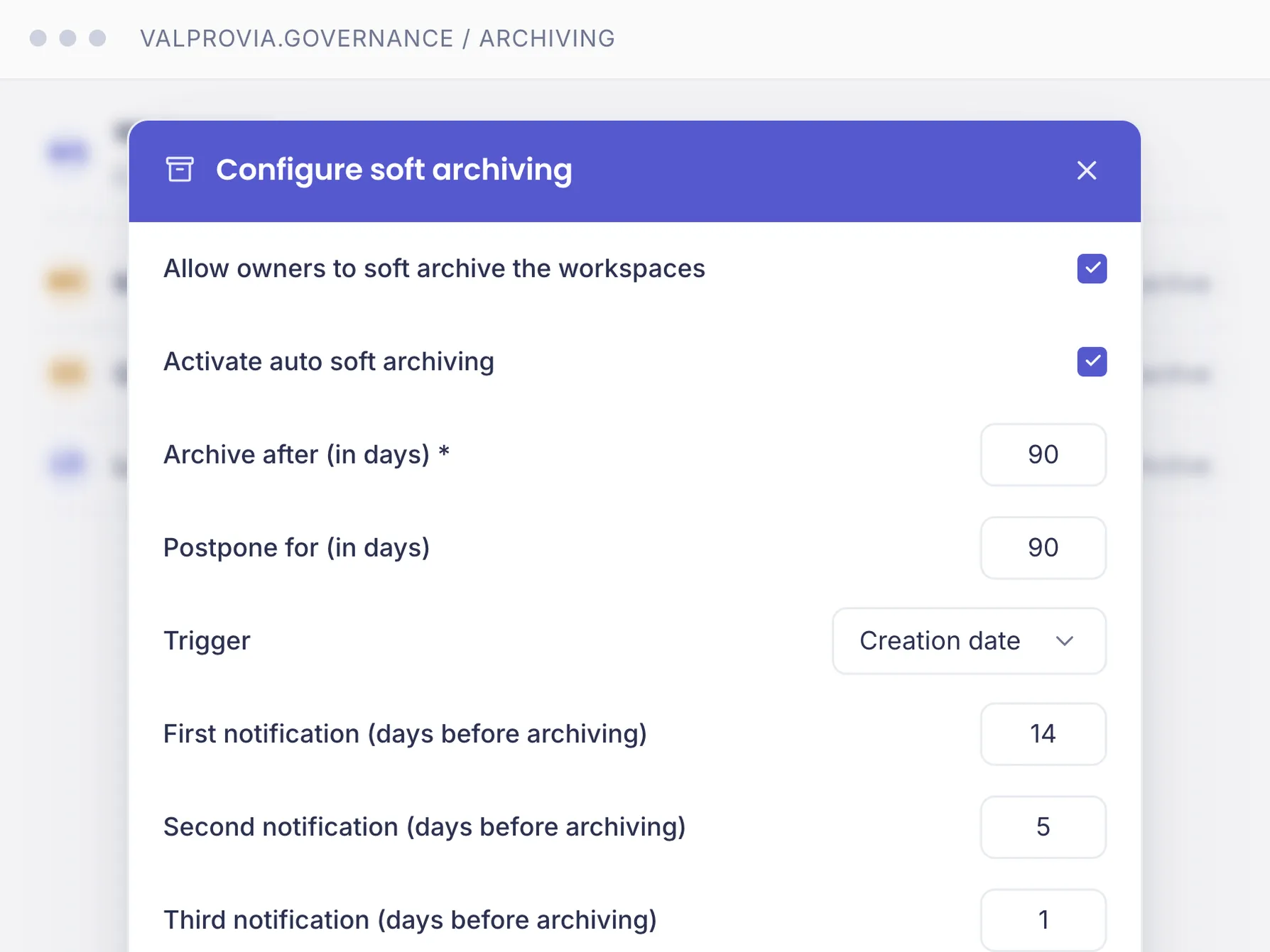
Decommission inactive Teams and SharePoint site collections in an orderly way by setting them to read-only - reversible and without data loss. Soft archiving (visible, read-only) or hard archiving (hidden from users). Part of the Valprovia Governance module (Professional tier).
Archiving sets an inactive team or SharePoint site collection to read-only without deleting content. The team is decommissioned; documents, chat history and structure stay fully intact. Archiving runs automatically per the IT lifecycle rules, or manually by owners or lifecycle managers - as the orderly close of preventive Microsoft Teams governance.
Soft and hard variants
There are two variants: with soft archiving the Teams chat becomes read-only and the SharePoint site is locked via the Valprovia Security Layer - nobody can change anything, not even virtual owners. The team stays visible in the Teams client, documents remain accessible. With hard archiving (Teams only), users are removed from the team, the team disappears from the client, all sharing links are revoked and external users removed; documents remain read-only via the SharePoint URL.
Part of the lifecycle
Archiving is the decommissioning step in the three-stage Microsoft Teams lifecycle management (soft → hard → deletion). It differs from native Teams archiving, where owners keep full control. For the permanent offload of inactive files into your own Azure Blob Storage there is the separate Valprovia Archive module.
Frequently asked questions about Microsoft Teams archiving
Does archiving delete my documents?
No. Archiving only sets the workspace to read-only. Documents, chat history and structure stay fully intact.
What is the difference between soft and hard archiving?
With soft archiving the team stays visible in the Teams client and becomes read-only. With hard archiving users are removed from the team, the team disappears from the client, all sharing links are revoked and external users removed.
Do team owners keep full access when archiving?
No. Unlike native Teams archiving, the Valprovia Security Layer enforces read-only even for virtual owners - they cannot add members, edit documents or upload files.
Can I restore an archived team?
Soft-archived workspaces any time - chat and permissions are restored. Hard-archived ones only if IT allowed it in the template; otherwise they can only be deleted.
Am I notified before my team is archived?
Yes. Owners receive emails before automatic archiving at configurable times (e.g. 30, 15 and 1 day before), including the date and a link to postpone.
Does archiving also apply to SharePoint sites without a team?
Yes, SharePoint site collections have soft archiving and deletion. There is no hard archiving, since soft archiving already achieves full read-only there.
Decommission inactive teams in an orderly way - without data loss
See how Valprovia Governance archives Teams and SharePoint sites in line with policy. Talk to one of our experts.