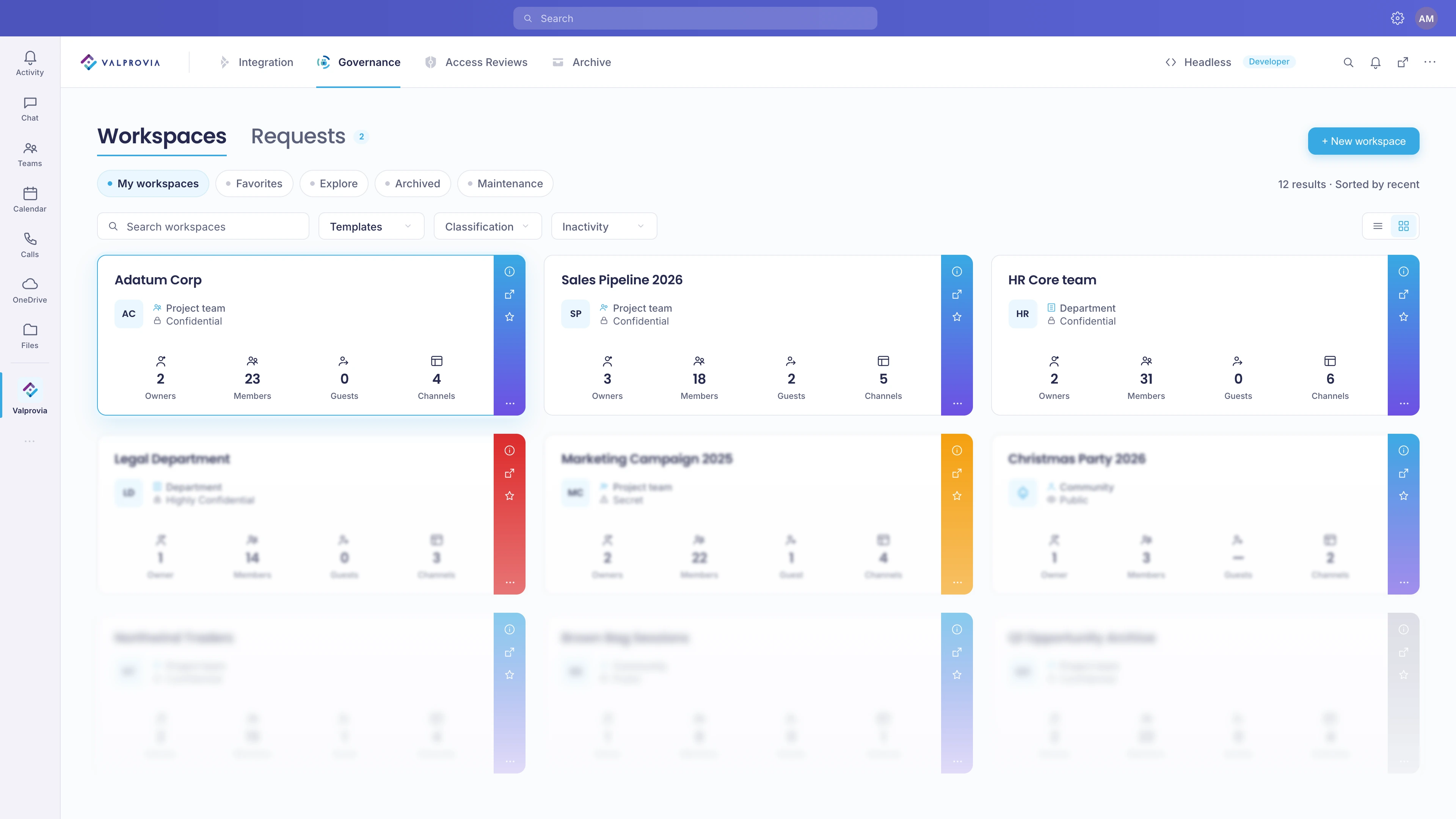
When everyone creates their own Teams and sites, sprawl sets in: inconsistent names, missing metadata, uncontrolled permissions. Template-based provisioning enforces naming conventions, structure and access rules right at creation time - SharePoint sites, Microsoft Teams and document sets are provisioned automatically from a blueprint, every workspace policy-compliant in 2-5 minutes.
Standardized provisioning is the rule-based creation of Microsoft 365 workspaces from a template, so that naming conventions, permissions and metadata are enforced at creation time - instead of being corrected manually after the fact. This is a governance topic because creation is the moment an environment turns orderly or chaotic: without a consistent path, everyone creates Teams and sites at their own discretion. The result is sprawl - duplicates and cryptic names, inconsistent or overly open permissions, and missing metadata, which makes content impossible to find and leaves no one able to tell who has access to what. Template-based provisioning tackles exactly this: naming conventions (prefixes, suffixes, metadata, blocked terms), access profiles and required fields are stored in the template and applied automatically, so every workspace starts consistent and policy-compliant.
Template-based creation
SharePoint and Teams provisioning is the automated, template-based creation of standardized Microsoft 365 workspaces - SharePoint sites, Microsoft Teams and document sets. A wizard collects the required details and applies the organization's rules automatically - a ready workspace including its SharePoint site is typically available in 2-5 minutes.
Three template types
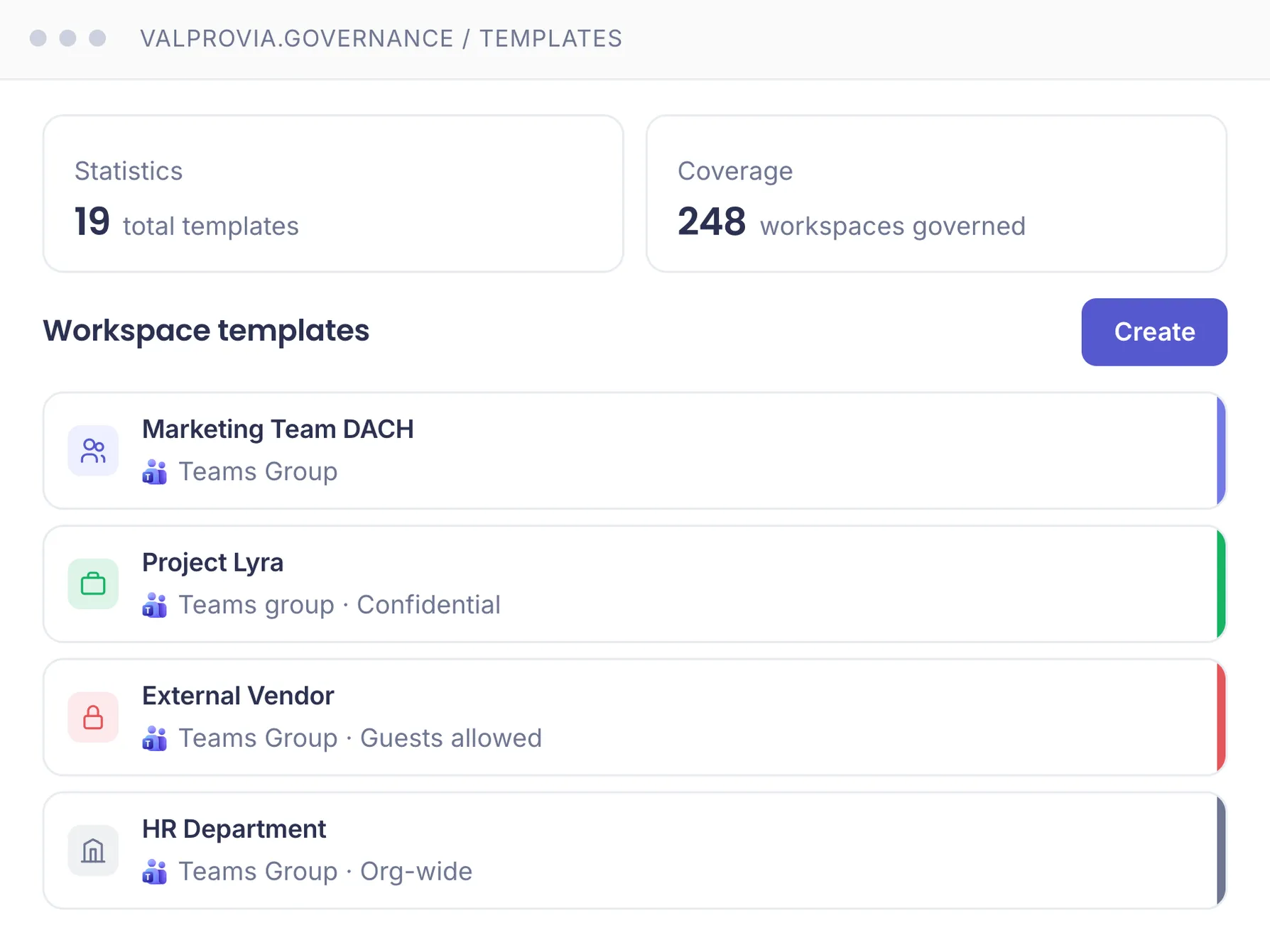
Three template types each create a different resource: a Teams template creates a Microsoft team with a connected SharePoint site, a SharePoint site collection template creates a standalone site (team or communication site), and a document set template creates a document set in an existing library. Private and shared channels each get their own SharePoint site collection.
PnP templates
A template standardizes the whole configuration: naming conventions via template tokens, permissions via access profiles, preconfigured standard, private and shared channels including tabs and apps, custom metadata fields, and lifecycle rules. PnP provisioning templates (XML) fully configure the SharePoint site during creation. Every workspace starts policy-compliant - part of preventive Microsoft Teams governance.
Part of the Valprovia Governance module
Provisioning is part of the Governance module
Template-based provisioning is not a standalone tool - it is a capability of the Valprovia Governance module, alongside external user management, lifecycle management and self-service. One license, one tenant, all governance capabilities.
Frequently asked questions about SharePoint and Teams provisioning
What is template-based provisioning and why do you need it?
Template-based provisioning creates Teams and SharePoint sites from a predefined blueprint instead of setting up each workspace by hand. The template defines naming conventions, permissions, channels and metadata once; every workspace created from it inherits them automatically. You need it because creation is the only moment where consistency can still be enforced without loss: if rules are only applied later, every deviation has to be corrected individually. This keeps the environment structured, discoverable and auditable - the foundation of preventive governance.
What happens without standardized provisioning (sprawl)?
Without a consistent creation path, everyone creates Teams and sites at their own discretion - the result is sprawl. Typical consequences: duplicate or cryptically named workspaces with no recognizable purpose, inconsistent or overly broad permissions, missing metadata that makes content impossible to find via search, and orphaned workspaces no one is responsible for anymore. This increases the attack surface, makes audits harder, and leaves content uncontrolled for Microsoft Copilot to search. Standardized provisioning prevents this at the root by enforcing naming conventions and structure right at creation time.
How do you enforce naming conventions at team creation?
Naming conventions are defined in the template via template tokens - such as fixed prefixes or suffixes (PRJ-, -DEPT), components derived from metadata, and blocked terms. At creation time the name is formed automatically according to this pattern, instead of being left to the creator. This means workspaces can be assigned to their type, area or project by name alone, and duplicates are avoided. Microsoft's native tools only offer a single global Azure AD naming policy with a prefix/suffix - no template-specific patterns or metadata-driven names.
How long does provisioning a Teams workspace take?
Without an approval step, typically 2-5 minutes: Teams and SharePoint are created in 30-60 seconds, structure and channels follow in 1-2 minutes, then invitations and rules.
Can end users provision workspaces themselves?
Yes, via a self-service wizard - if they are authorized. They only see templates they are approved for. Depending on the configuration, the workspace is created immediately or goes through an approval workflow.
Can I provision SharePoint sites without Teams?
Yes. SharePoint site collection templates let you provision standalone sites (team or communication site) without a connected team.
What is PnP provisioning?
PnP provisioning templates are XML files following the PnP provisioning schema. Uploaded into a Valprovia template, they are applied during workspace creation and configure document libraries, lists, content types, navigation, web parts and branding - every workspace starts with a fully configured site.
Are private and shared channels provisioned too?
Yes. Both create their own SharePoint site collection and can each receive their own PnP template.
Can I change the template after creation?
No. Template and security level cannot be changed after creation. Changes to existing workspaces are applied via bulk updates with a new template version.
Provision workspaces in line with policy - in minutes
See how Valprovia Governance provisions Teams and SharePoint from templates. Talk to one of our experts.